Case Study | BLADE Air Mobility
Redesigning the BLADE Mobile App
Project Overview
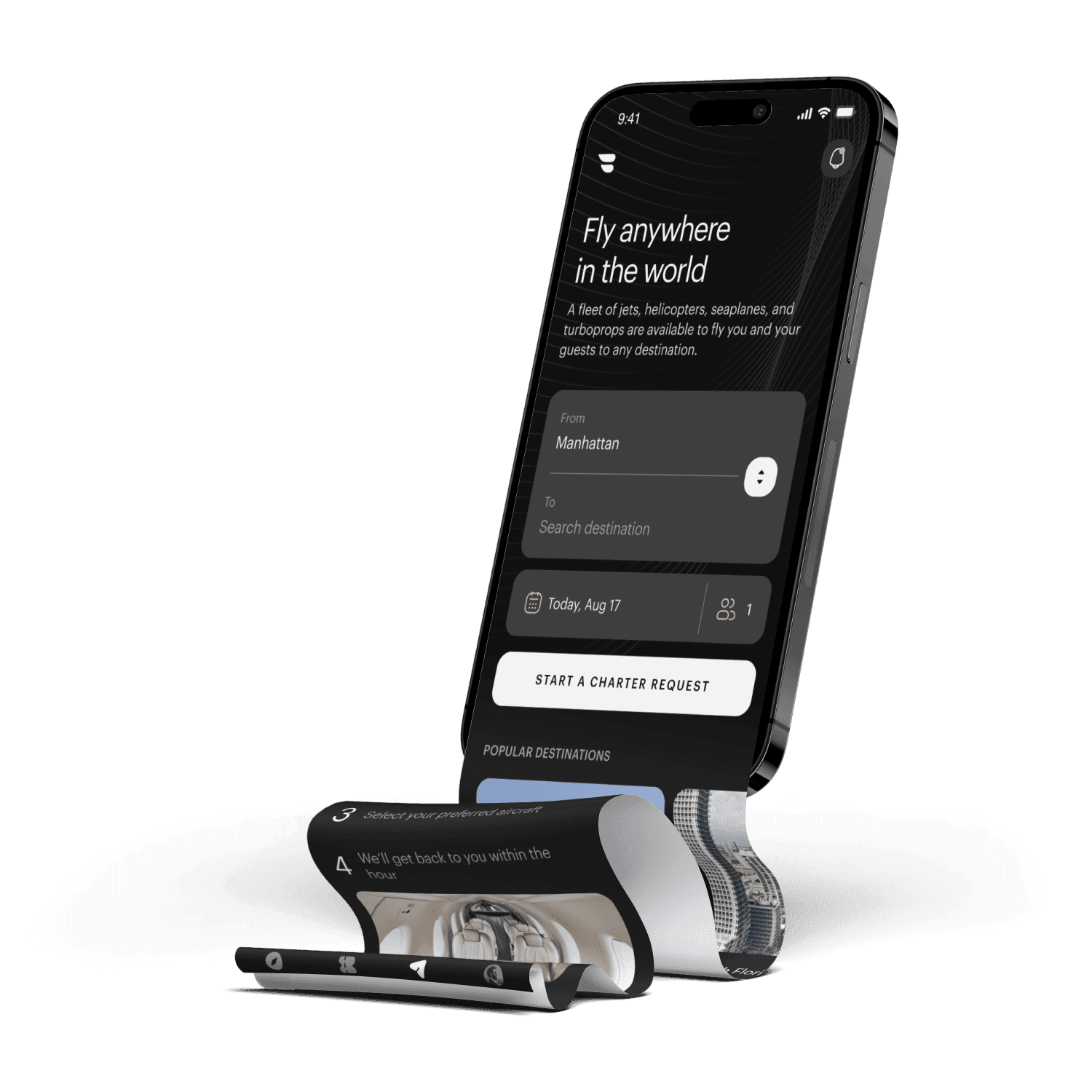
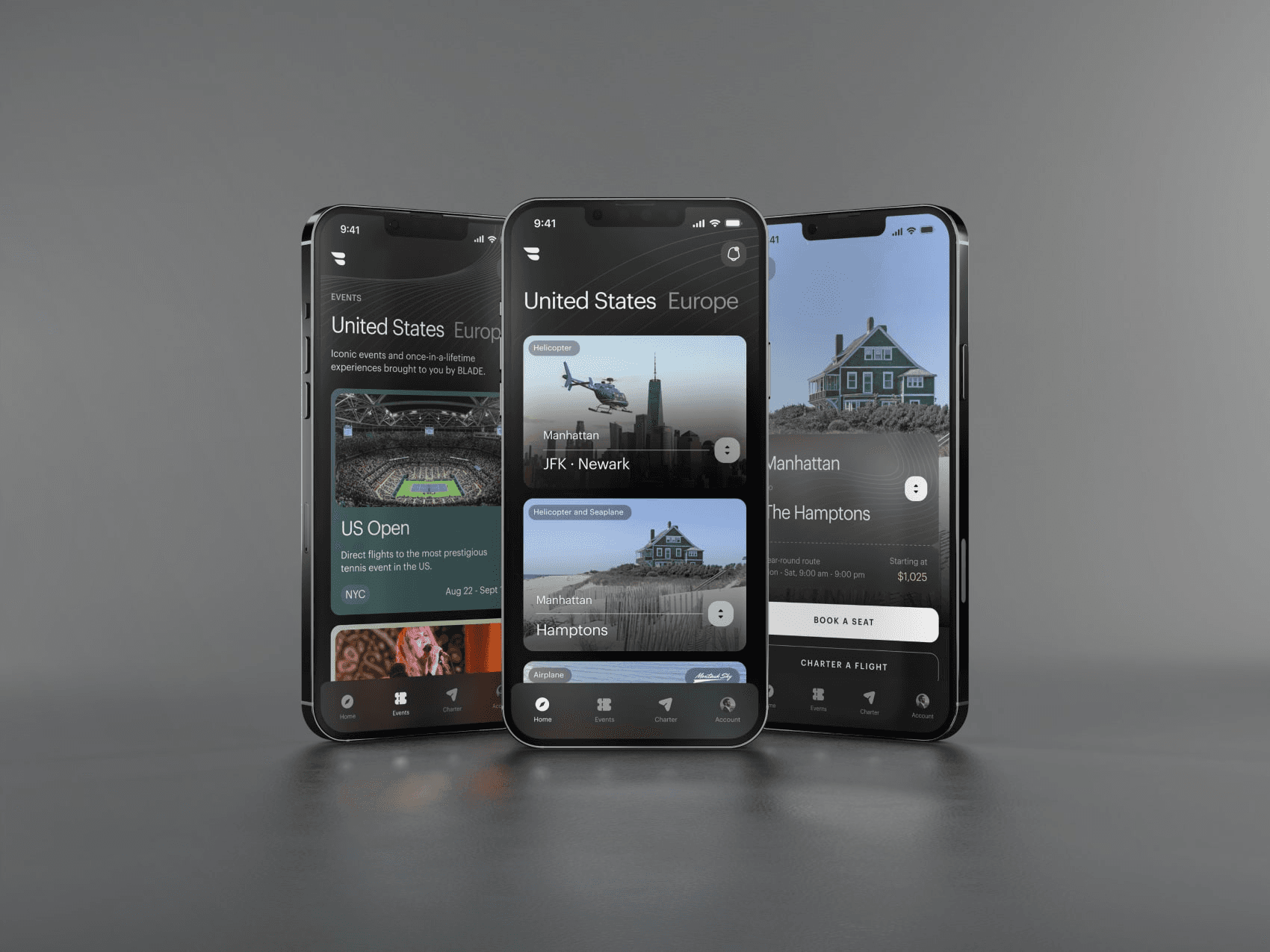
I led the redesign of the BLADE native mobile app, rethinking the booking flows and user experience from the ground up. The design overhaul also encompassed an entirely new styling of UI components.
Client
BLADE Air Mobility
Industry
Travel
Year
2024
Role
Lead Product Designer
About the Project
Summary
A new native mobile app for the "Uber for Helicopters"
BLADE is a publicly traded company that sells by-the-seat and charter flights through a number of different products and markets, primarily in the US and France. By-the-seat flights from Manhattan to the Airport or the Hamptons, as well as between Nice and Monaco in France, are core product offerings.
The Problem
An outdated app, and some unintuitive booking flows
The existing BLADE app had evolved organically over time, and the leadership team saw an opportunity to better align the app's aesthetic with BLADE's premium brand positioning. Additionally, several booking flows could be streamlined to improve the user experience.
Phase 1:
Design Foundations
Building Out a Design System
BLADE had commissioned Metalab for initial branding and component work. While this provided a strong visual direction, the UI kit only covered basic components and didn't account for BLADE's complex product offerings. I extended this foundation to create a comprehensive design system that could handle 8+ different booking flows, regional variations (US vs France), and seasonal products.
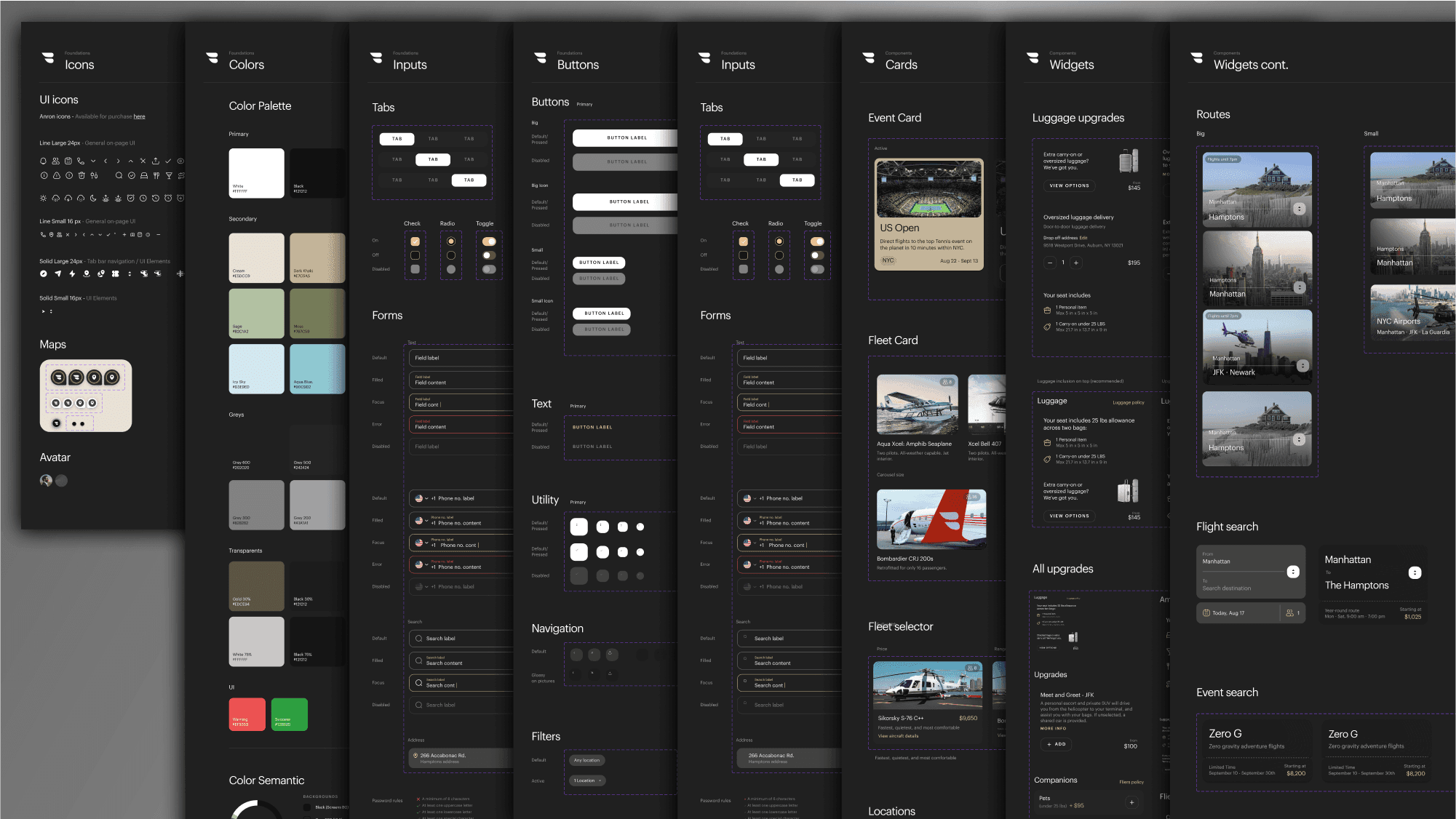
A portion of the final UI kit used in development. While the initial UI kit offered a great vision and design language to build on, many components and flows needed to be updated to reflect the reality of the product, and evolved significantly over the course of the project.
Phase 2:
User Journeys
Designing for Unique Product Booking Flows
I began to think about the existing booking flows that were present in the BLADE app, and how they would need to be adapted to fit the new app designs. Additionally as I went through I tried to identify where the designs could be unified (what screens and components are reusable), and what booking flows required components that were unique. I started by mapping out the different core product offerings into 8 different booking flows.
These core products offered plenty of challenges from the get-go. Different routes had different upgrades, features, and restrictions. French routes also had different legal obligations and regulations to contend with that required dedicated designs. Lastly the "Limited Time Events", and "Seasonal Routes" consisted of an important but widely varying assortment of offerings, that were currently hard-coded into the website on an individual basis. I would have to come up with new designs, as well as a new way to think about the backend systems we were building so that these systems could be flexible enough to be future-proof while also offering a repeatable template we could apply going forward.
To handle this variation systematically, I created a modular component system where each step of the booking process used as many consistent patterns as possible. Product-specific needs like French legal disclaimers or event-specific pricing used customized approaches only when the current patterns weren't up to the task. This let us build once and adapt rather than designing 8 completely separate experiences.
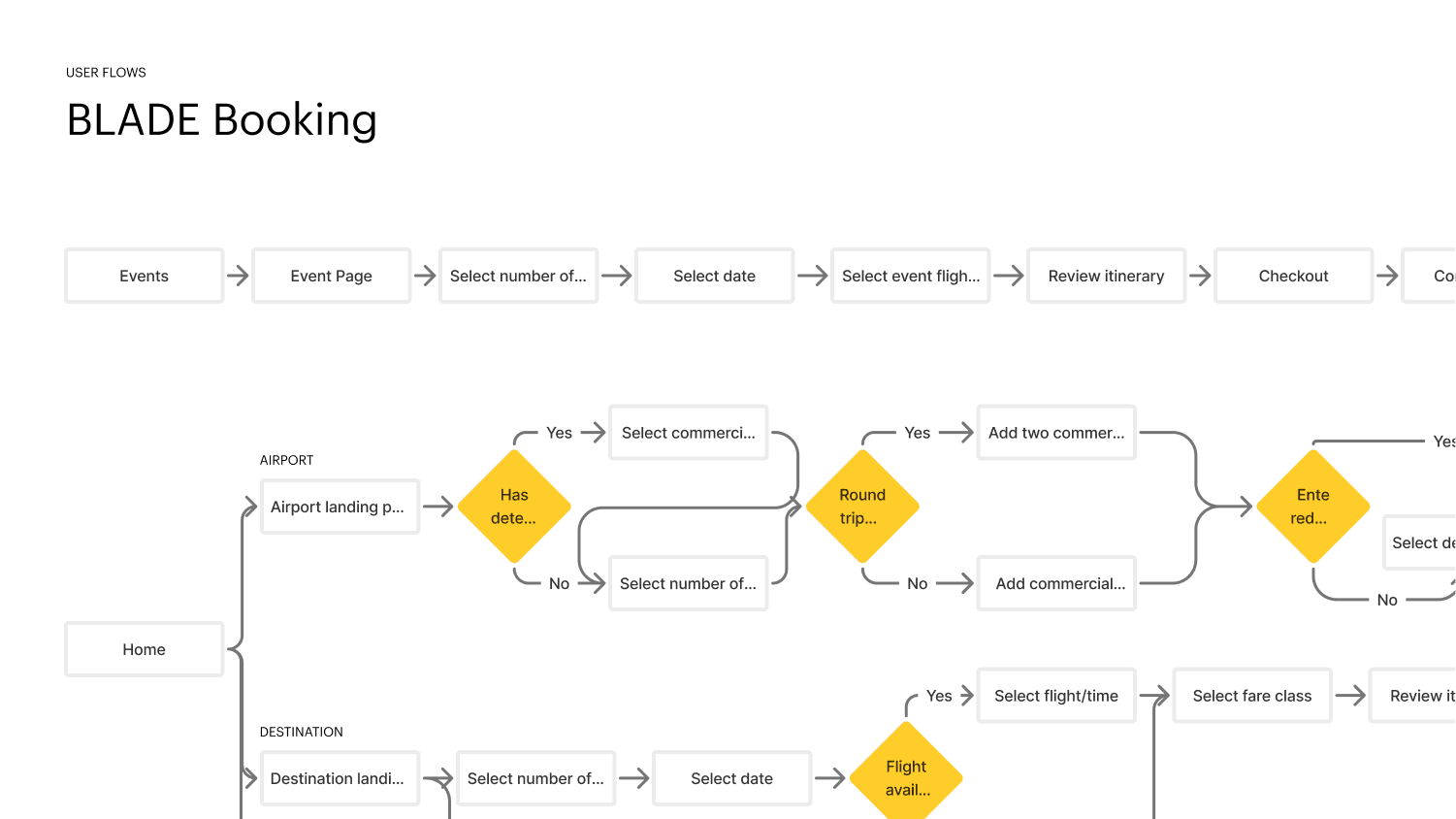
User flow diagrams were used early in the process to align on the progression of these flows and how they would vary from product to product.
Phase 3:
Feature Deep Dive - Ground Connect
Identifying User Pain Points
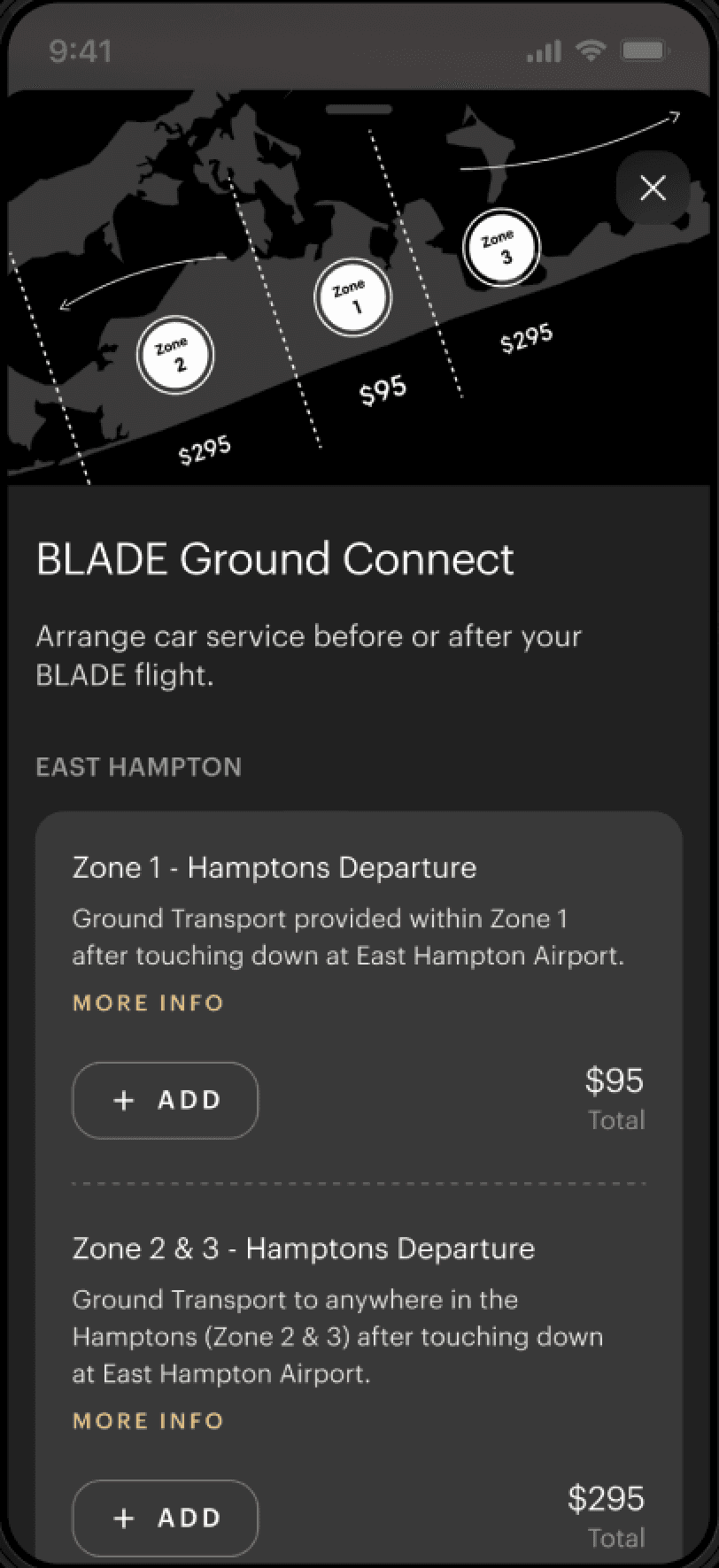
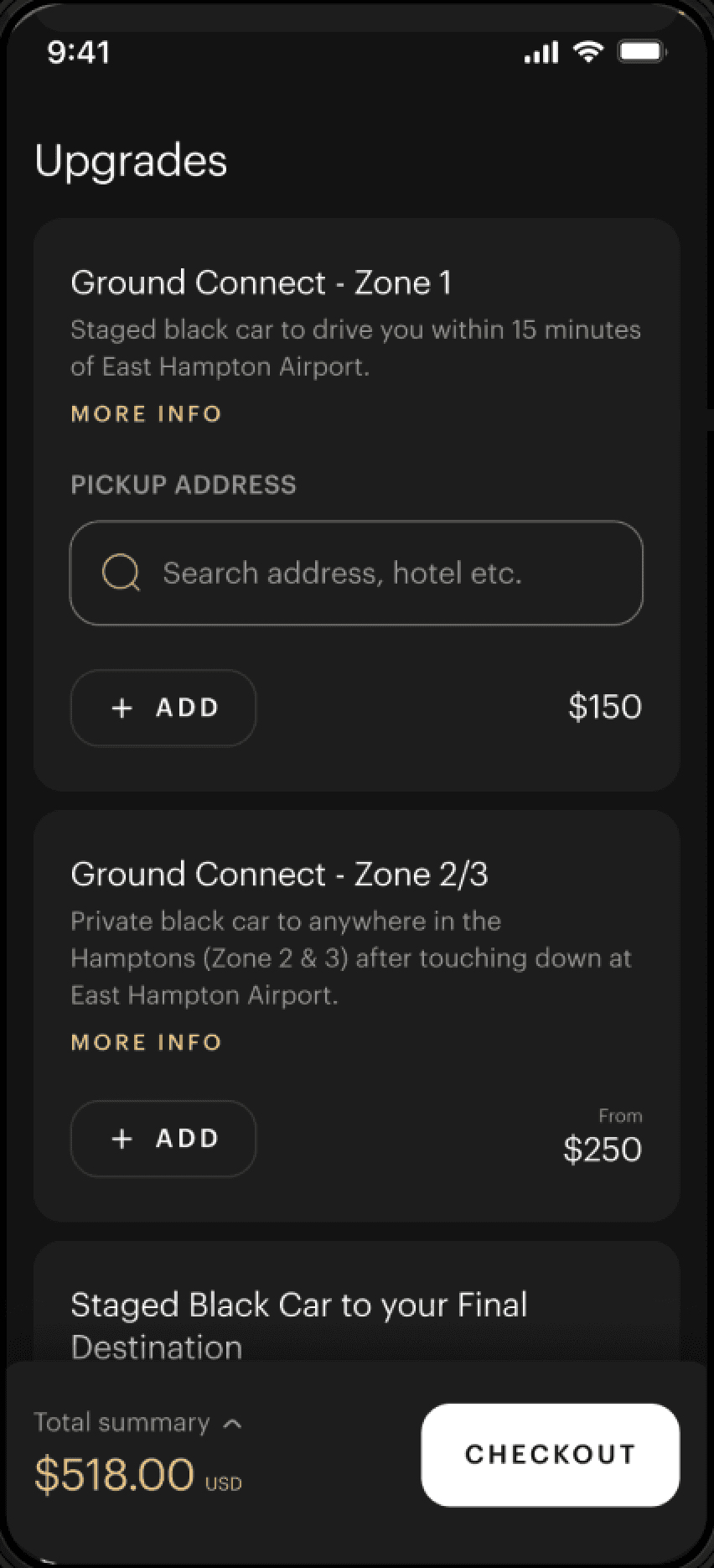
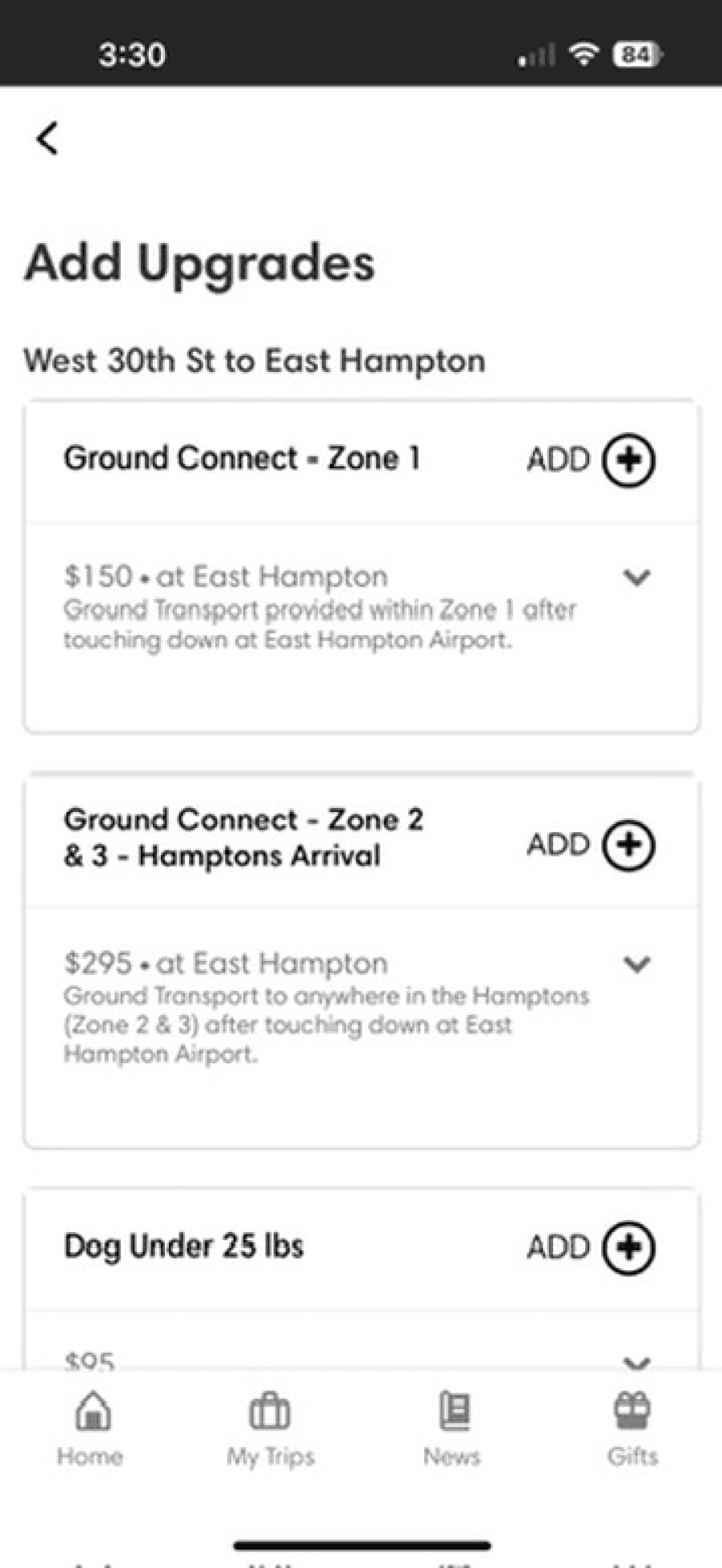
I began working through the existing flows to identify friction points. Ground Connect — a key upgrade feature that let users book ground transportation to complete their journey — exemplified the UX problems throughout the app and became a focus for the redesign.
I also consulted user feedback that had been collected through internal systems, as well as live user click analytics and heat maps through the service Hotjar.
Feature Iteration Example: Ground Connect
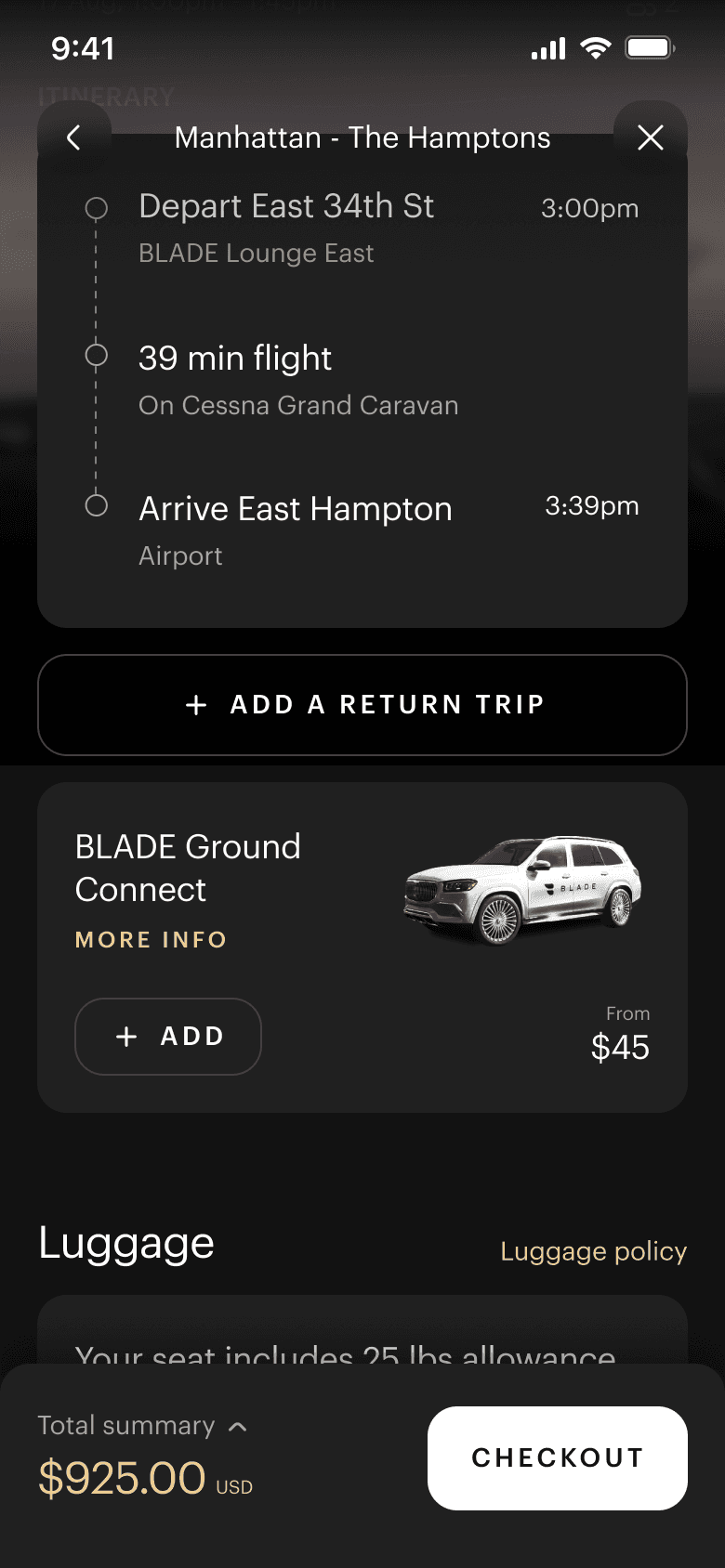
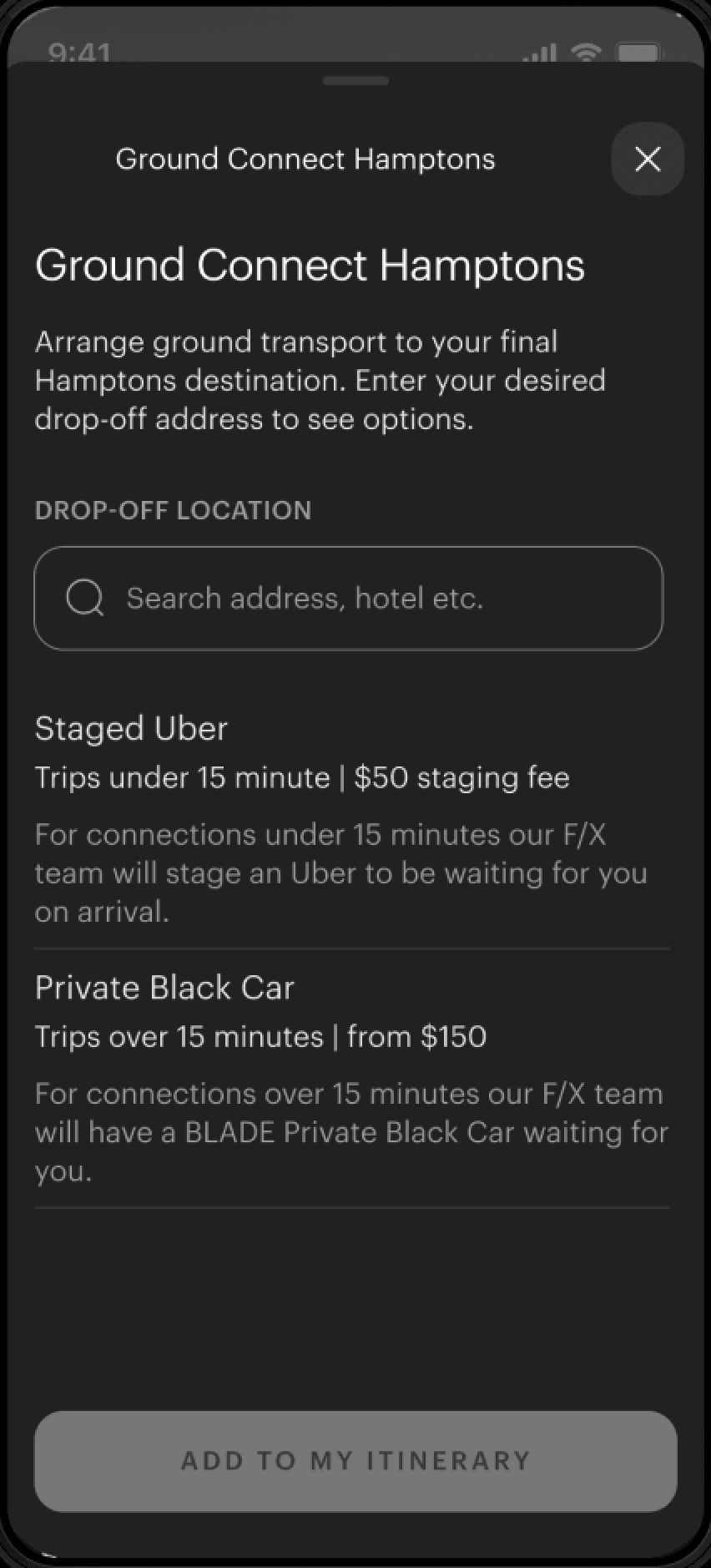
Ground connections were upgrades that users could book to "complete their journey'. They could get a driver pick them up and transfer them to or from the helipad for their BLADE flight. This was already a product offering, however its implementation needed some work.

Phase 4:
Designing for Flexibility
Designing for Development Bottlenecks
As the design process progressed, I worked closely with the BLADE development team to balance feature ambition with technical constraints. Two key challenges shaped the final system:
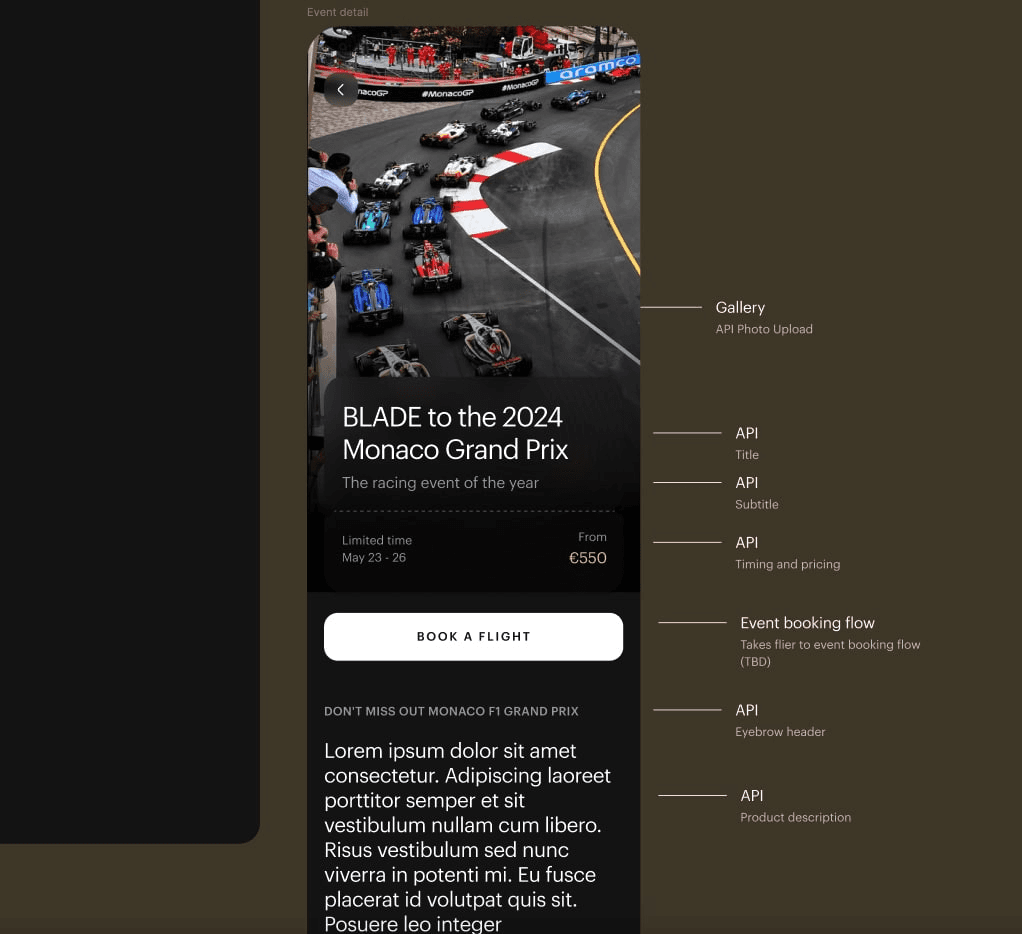
Limited Time Events Template
Previously, special event flights (sporting matches, destination dinners) were hard-coded individually into the app. I worked with the backend team to create a flexible template system that could accommodate varying booking mechanics — different pricing structures, capacity limits, and event-specific requirements — without requiring custom development for each new offering. This shifted events from one-off builds to a repeatable pattern.
Prioritization and Phasing
When necessary, designs were simplified to focus the development team on higher-priority API updates. Features like automated ground connect zone pricing were moved to V2 to expedite the redesign launch.
Before and After
New Look & New Functionality
We went through a number of internal iterations of the designs while we refined functionality for the new flows along with the visual direction. The new designs have a much more polished feel, as well as introducing new ways of interacting and understanding the product.
For instance the home page and landing pages (seen in the top left of each group below), introduced a new format for displaying products which eliminated paragraph copy, and introduced a direction switcher and vehicle tag to communicate the type of journey, and that it was bookable in either direction (something that testing had found was a point of confusion).
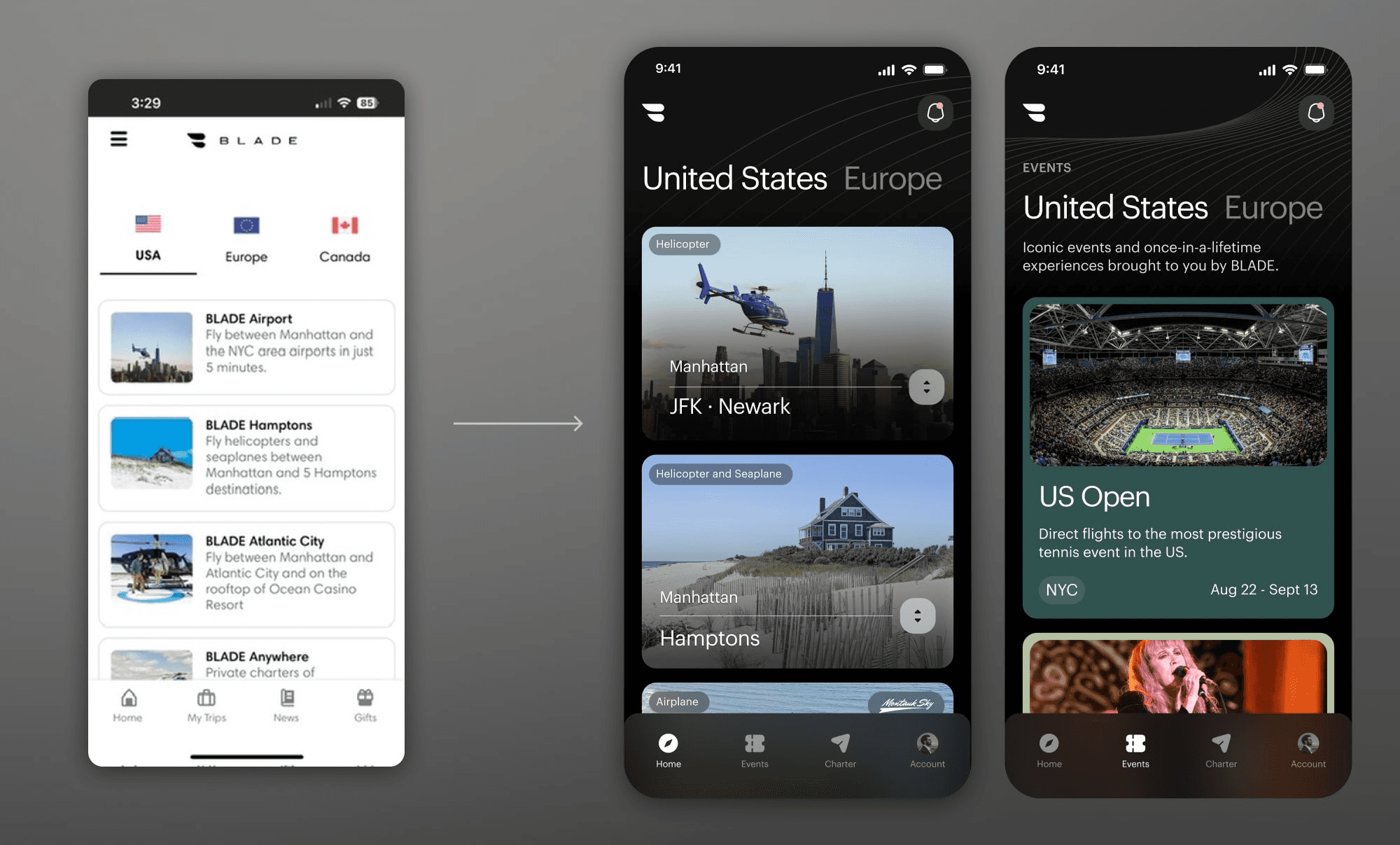
The existing home tab grouped all core routes along with seasonal events, and special offers (such as the merch shop and flight passes) on a single list of tiles on the homepage. The redesign simplified the route cards, and put events in a separate tab.
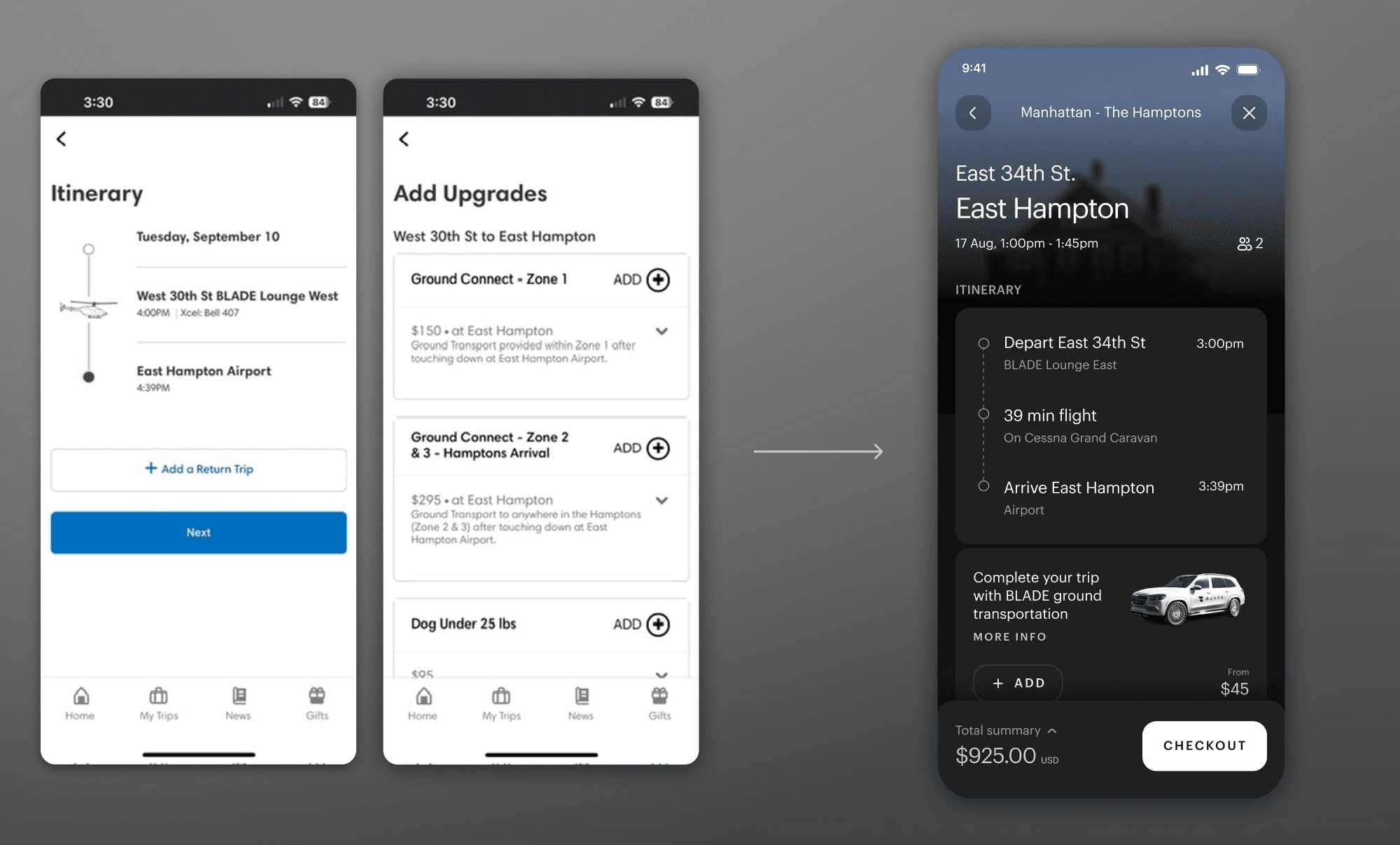
Itinerary and upgrades were combined to one step, eliminating an extra click from the flow. The new itinerary and upgrades screen offered more helpful information (such as an expandable cart), and better organized ground transportation and luggage upgrades.
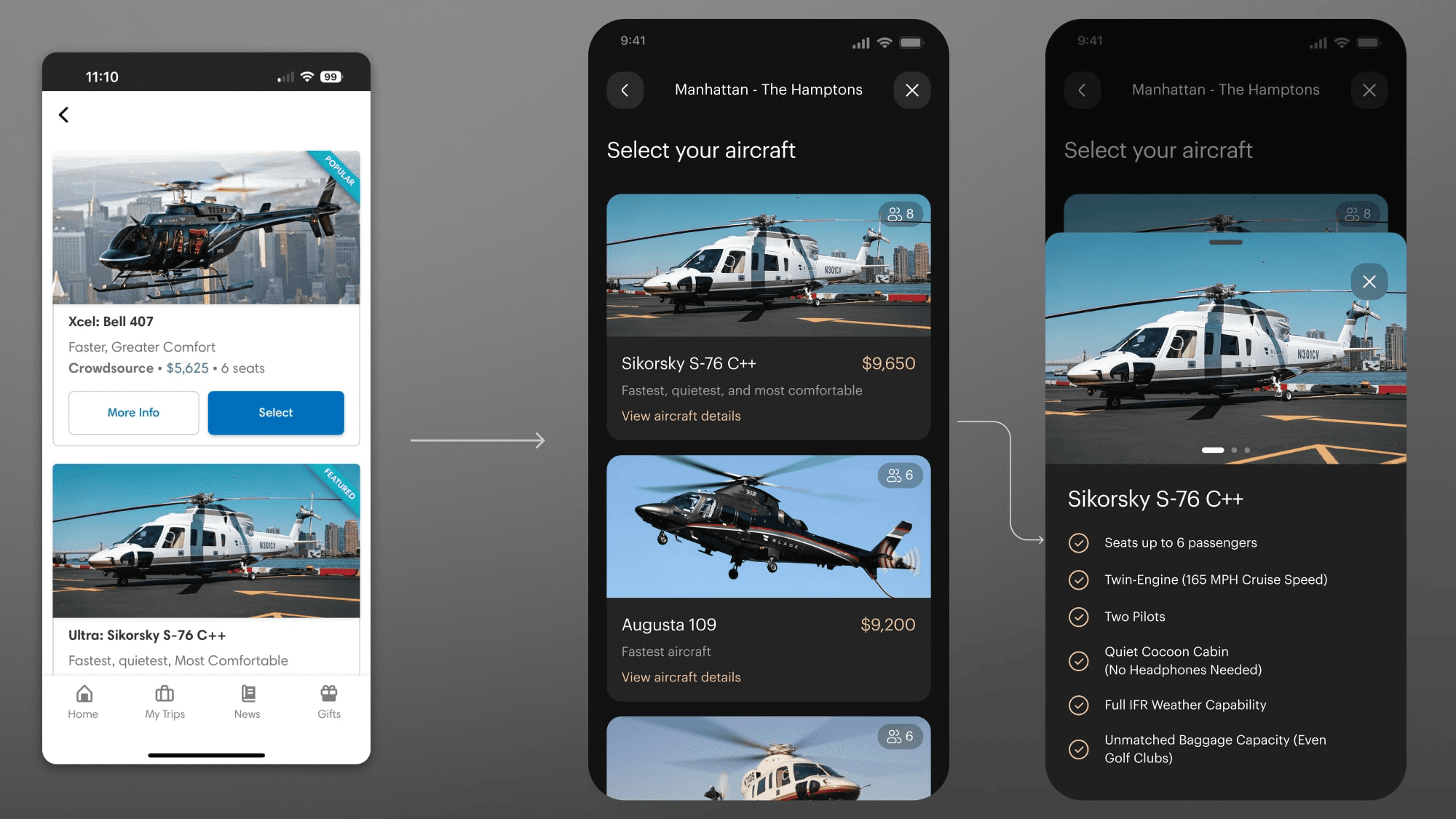
The new charter aircraft selection screen utilized a bottom-modal overlay to give more information about their choices. This pattern was used throughout the redesign to offer extra information while keeping users' focus on the central flow.
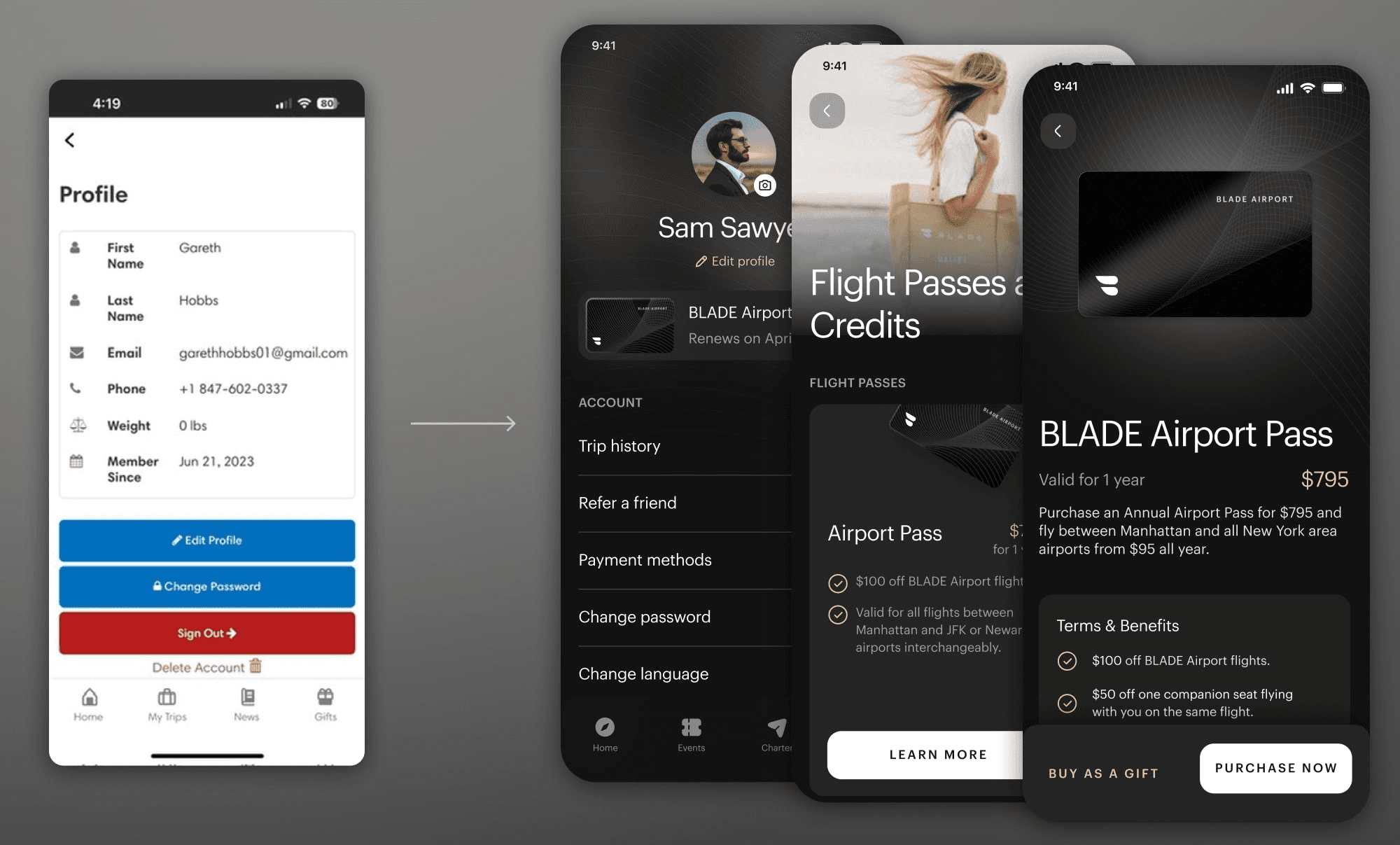
The heavily redesigned profile page becomes a central hub for useful information such as flight passes - a central business consideration at BLADE which was lacking a well defined purchasing flow.
User Reception
The redesign directly addressed user feedback about the previous app experience. Prior to launch, reviews highlighted UX friction.
Following the redesign launch, user reception shifted to emphasize polish and usability.
The app currently holds a 4.8-star rating on the App Store as of Feb 2026.
BEFORE redesign:
Awesome company; bad app.
Blade is awesome. One of the most important startups of our time. But the app is terrible. It feels like some sort of laggy website that's barely even mobile-optimized. Definitely not native. The app should be a lot better.
GEP002

2023
Revamp the app
The impact of a beautiful Ul and frictionless UX mustn't be understated. Blade's needs some work if it truly intends to be the "Uber of air mobility".
Alecrrr
2023
AFTER redesign:
Excellent NEW App!
Just downloaded the brand NEW BLADE app and this is luxury at your fingertips! Smooth and sleek feel, super easy to use!
JCNYC112
2024
New update is a major improvement
New app looks great and much smoother experience.
nycdrocks
2024
Project Takeaways
Designing BLADE's app taught me that luxury mobile experiences require different patterns than utility apps. Standard e-commerce conventions felt transactional, so I focused on reducing cognitive load through progressive disclosure while maintaining premium visual polish. The biggest challenge was creating a modular system that could flex across 8+ product types without feeling fragmented — core booking patterns stayed consistent while product-specific needs (French regulations, event pricing) were handled as deliberate exceptions rather than custom builds. This project also reinforced that designing for premium brands means sweating details that utility apps can skip — animation timing, transition polish, and visual hierarchy all needed extra refinement to match BLADE's positioning.